Data Sources
Verly uses RAG (Retrieval-Augmented Generation) to ground your agent's responses in your specific business data. This ensures accurate, on-brand answers without hallucinations.
Adding Knowledge Sources
Your agent needs specific knowledge about your business to answer questions accurately. Navigate to the Data Sources tab in your agent's dashboard.
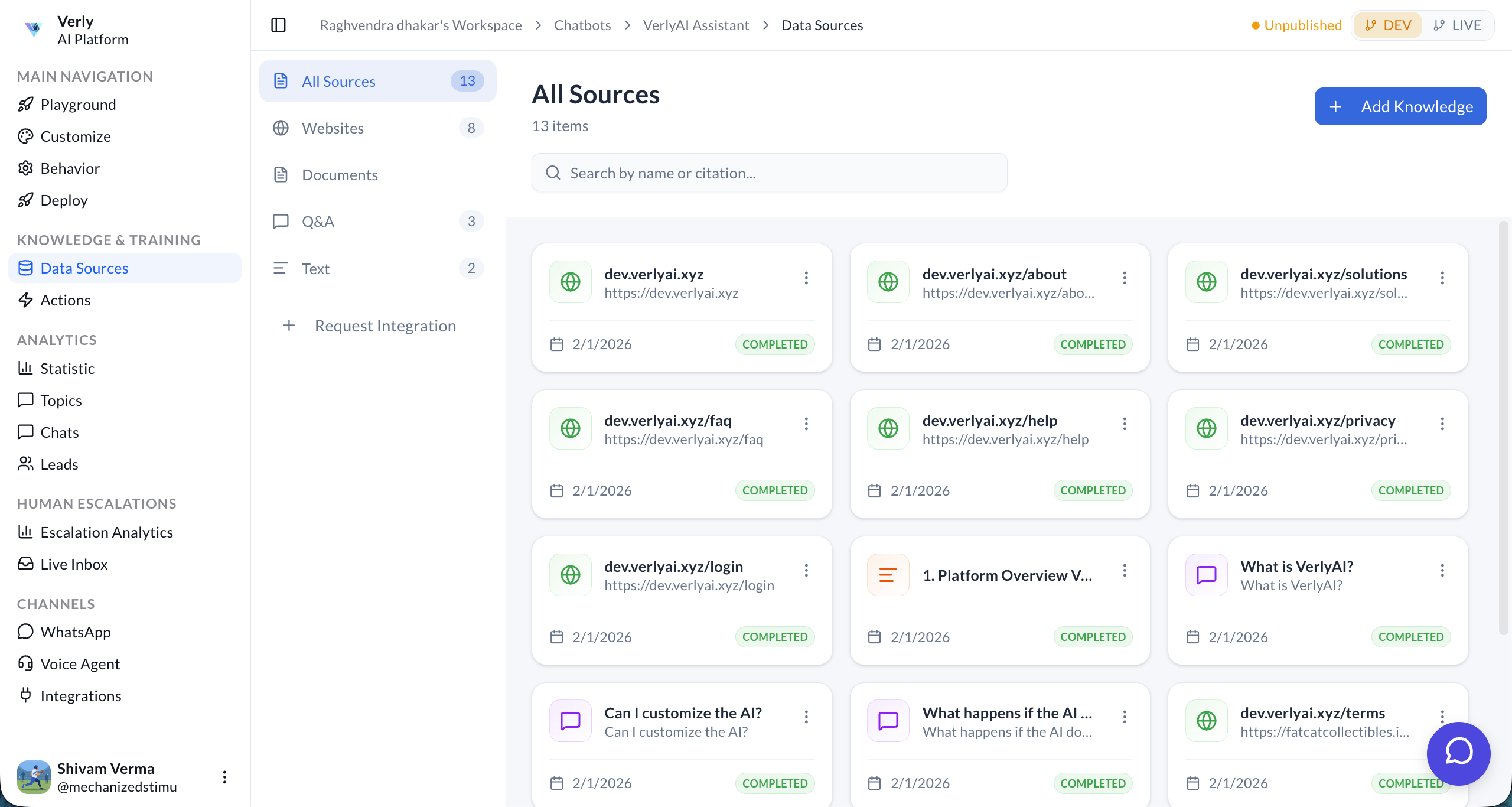
Click on the Add Knowledge button. You can add knowledge sources using four different methods:
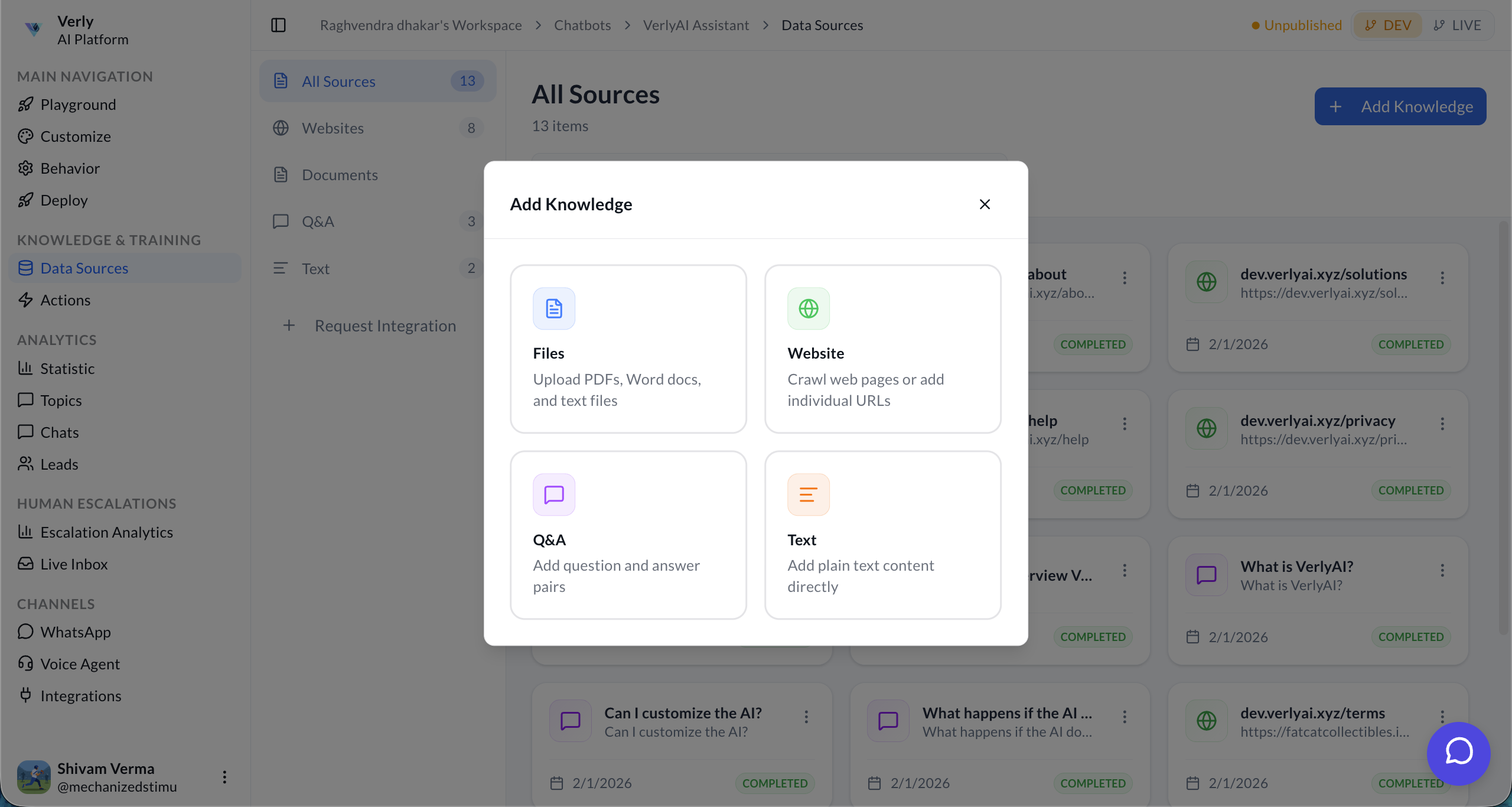
Supported Data Types
Uploading Documents
Select the Documents option to upload your files.
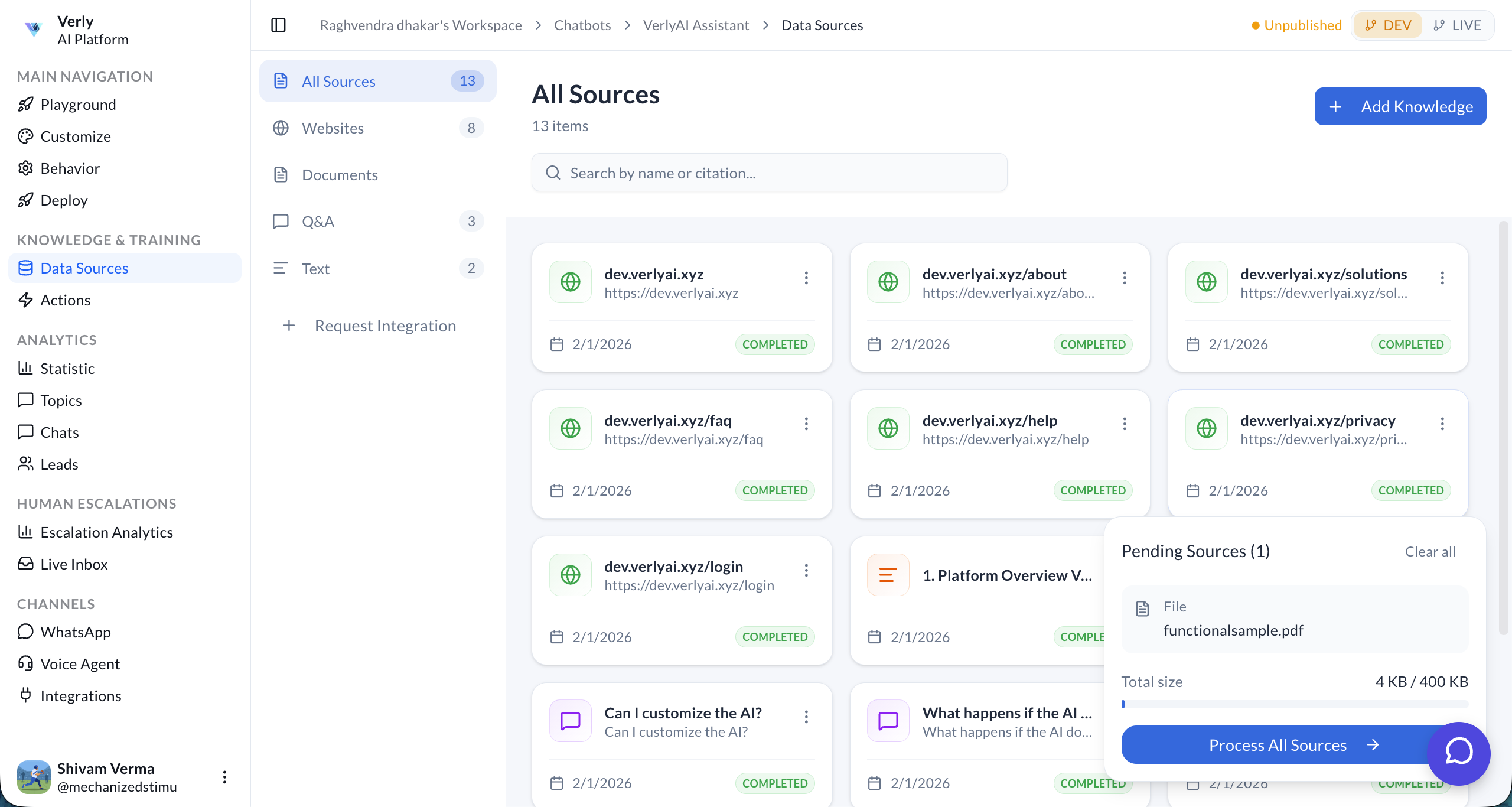
Verly's engine will index your content, making it instantly searchable by the agent.
Capacity & Usage
Data usage is measured in Pages (normalized units of text).
| Plan | Capacity | Sync Frequency |
|---|---|---|
| Starter | 1,000 Pages | Manual |
| Growth | 10,000 Pages | Monthly Auto-Refresh |
| Enterprise | 500,000 Pages | Daily Auto-Refresh |
Management
Re-training
When you update a data source (e.g., change your pricing page), you must re-train the agent.
- Manual: Click "Train Agent" in the dashboard.
- Auto: Enabled for Growth and Enterprise plans.
Exclusions
You can exclude specific URLs or file sections to prevent the agent from learning sensitive or outdated information.