Analytics
Leads
Track conversion and lead generation metrics.
Verly isn't just for support; it's a growth engine. The Leads page allows you to track, filter, and export potential customers captured by your AI agent.
Leads Dashboard
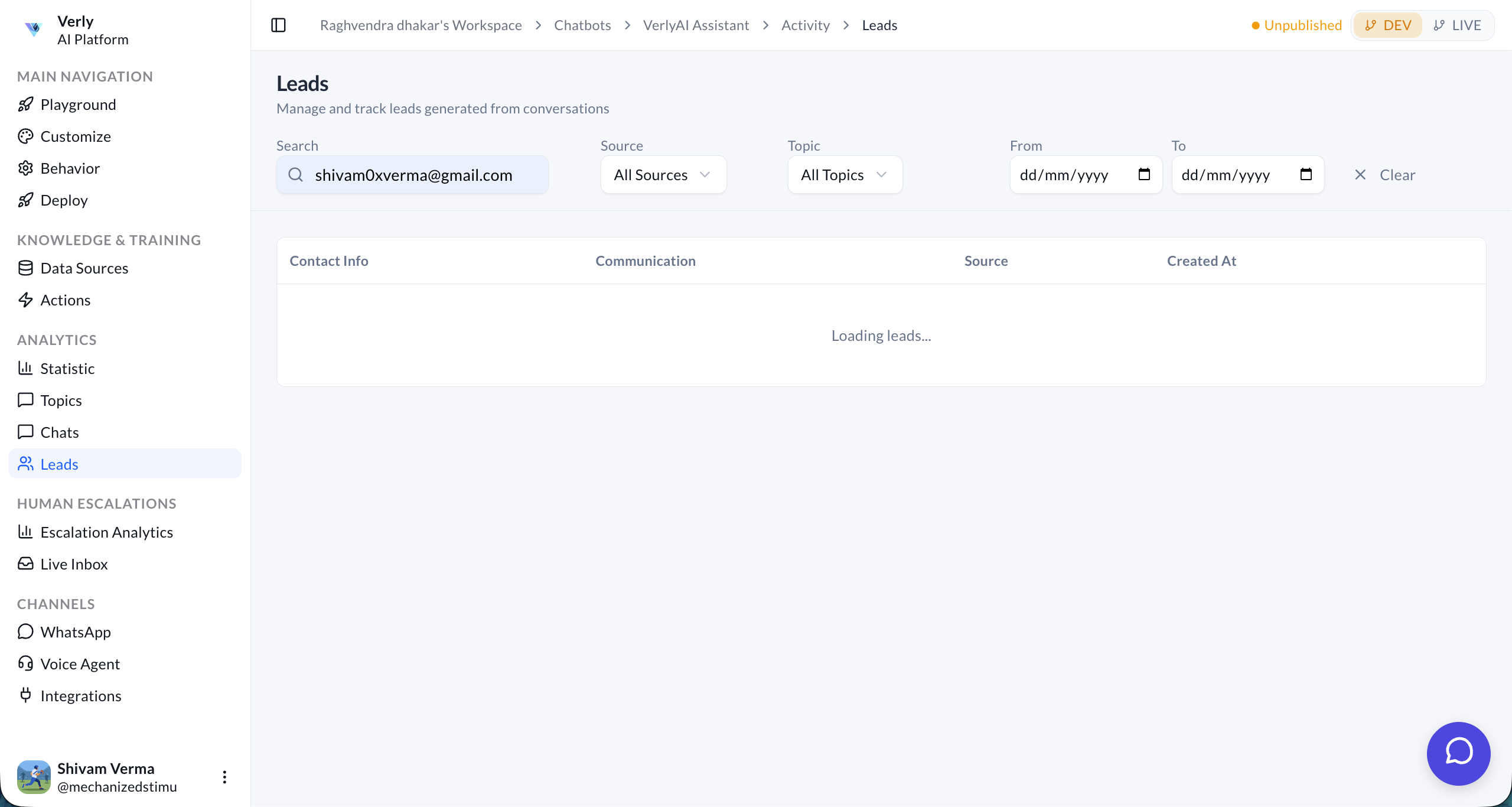
The dashboard provides a centralized view of all leads generated from conversations.
Searching & Filtering
Easily find the leads you're looking for with powerful search and filter tools:
- Search: Enter a user's name or email address (e.g.,
shivam0xverma@gmail.com) to find specific records. - Source: Filter leads by their origin channel (e.g., Web, WhatsApp).
- Topic: Narrow down leads based on the conversation topic (e.g., "Pricing Inquiry", "Product Demo").
- Date Range: View leads generated within a specific timeframe (From/To).
Lead Details
The leads table displays key information for each captured prospect:
- Contact Info: The primary contact details, such as email address or phone number.
- Communication: A summary or link to the conversation where the lead was captured.
- Source: The platform where the interaction took place.
- Created At: The exact date and time the lead was generated.
Export & Integration
You can export your leads for further analysis or sync them with your CRM:
- Export to CSV: Download the entire list for offline use.
- CRM Integration: Automatically push new leads to Salesforce, HubSpot, or Pipedrive.