AI Chatbot Management
Deployment
Launch your agent to Web, WhatsApp, and Voice channels.
Move your draft changes from the development environment to your public live chatbot.
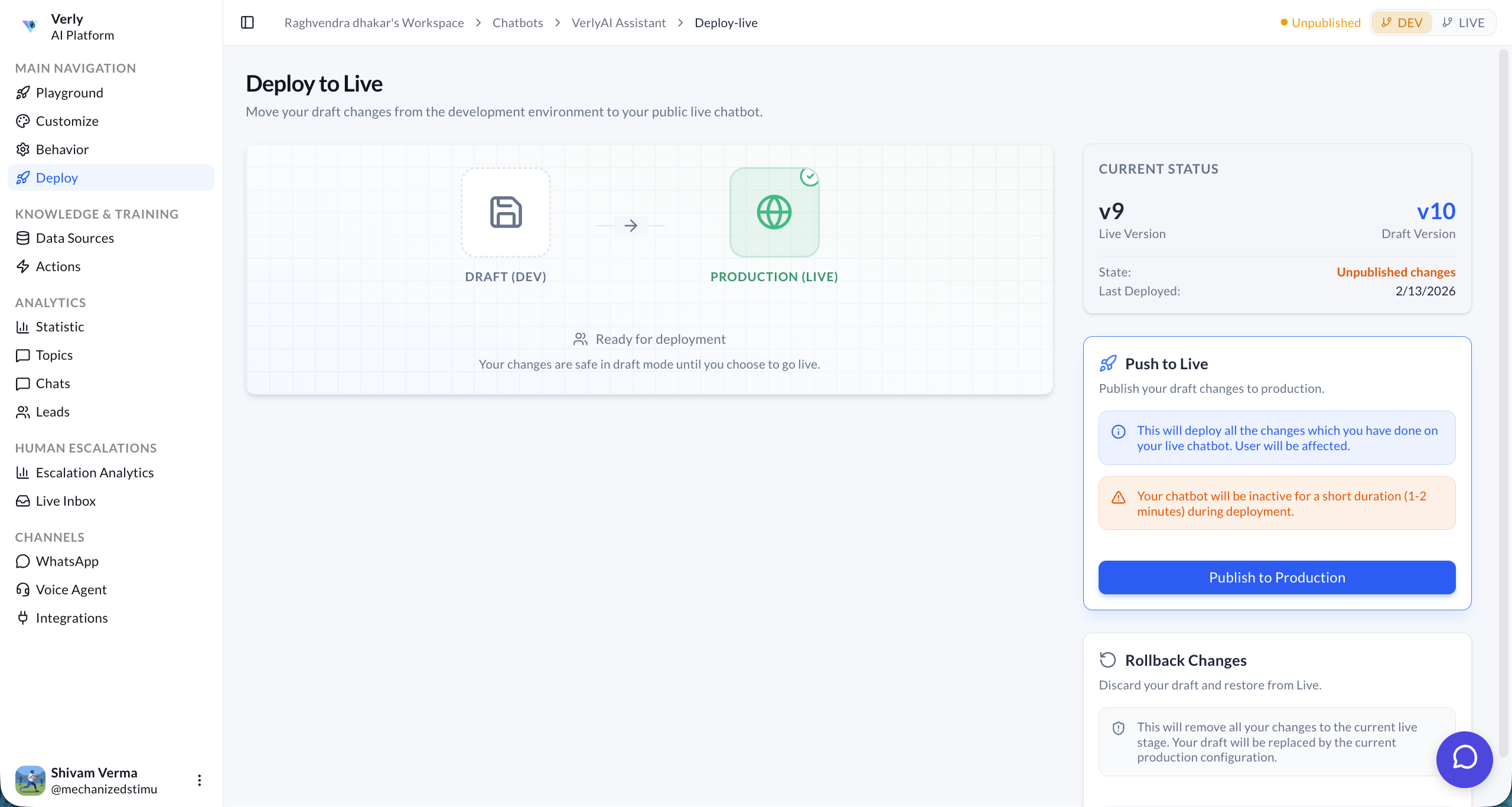
Deployment Workflow
Verly uses a two-stage environment to ensure stability:
- Draft (Dev): Your sandbox environment. All changes made in the dashboard (Instructions, Knowledge Base, Behavior) are saved here instantly but are not visible to end-users.
- Production (Live): The version of your agent that your actual customers interact with.
Current Status
The dashboard provides a clear view of your agent's version history:
- Live Version: The version currently serving customers (e.g., v9).
- Draft Version: The version you are currently working on (e.g., v10).
- State: Indicates if there are "Unpublished changes" waiting to be deployed.
- Last Deployed: The date of the last successful publish to production.
Push to Live
When you are ready to release your changes:
- Click the Publish to Production button.
- Review: Confirm that you want to overwrite the Live version with your Draft.
- Deploy: The process takes 1-2 minutes.
Downtime Alert: Your chatbot will be inactive for a short duration (1-2 minutes) during deployment as the new model is provisioned.
Rollback Changes
If you make a mistake or the new version behaves unexpectedly, you can revert to the previous meaningful state.
- Discard Draft: If you haven't published yet, you can discard your current draft changes and restore the layout from the Live version.
- Restore Previous Version: (Coming Soon) Rollback the Live agent to a specific historical version.